
Help center Your account
Free plan and Premium
What the Free plan includes, what Premium adds, how to upgrade, use a promotion code and cancel.
Ledgerly is free to start, and the Free plan is free for good. Ledgerly Premium unlocks everything for $99.99 a year.
What each plan includes
| Free | Premium | |
|---|---|---|
| Budgets | 1 | As many as you need |
| Spending categories | Up to 5 | Unlimited |
| Savings goals | 1 | Unlimited |
| Bills that aren’t every month, and category items | ✓ | |
| Repeating transactions and receipt scanning | ✓ | |
| Full insights and what-if plans | ✓ | |
| Pay before taxes and reminders | ✓ | |
| In AI apps like Claude and ChatGPT | See your budget, spending and net worth; log through forms; check your bank against Ledgerly | Change your plan from the chat, what-ifs, households, connection keys |
| A second person on your account | ✓ | |
| Accounts, debts and your net worth total | ✓ | ✓ |
| Net worth by type, home and car equity, account types like 401(k) and crypto, and holdings | ✓ |
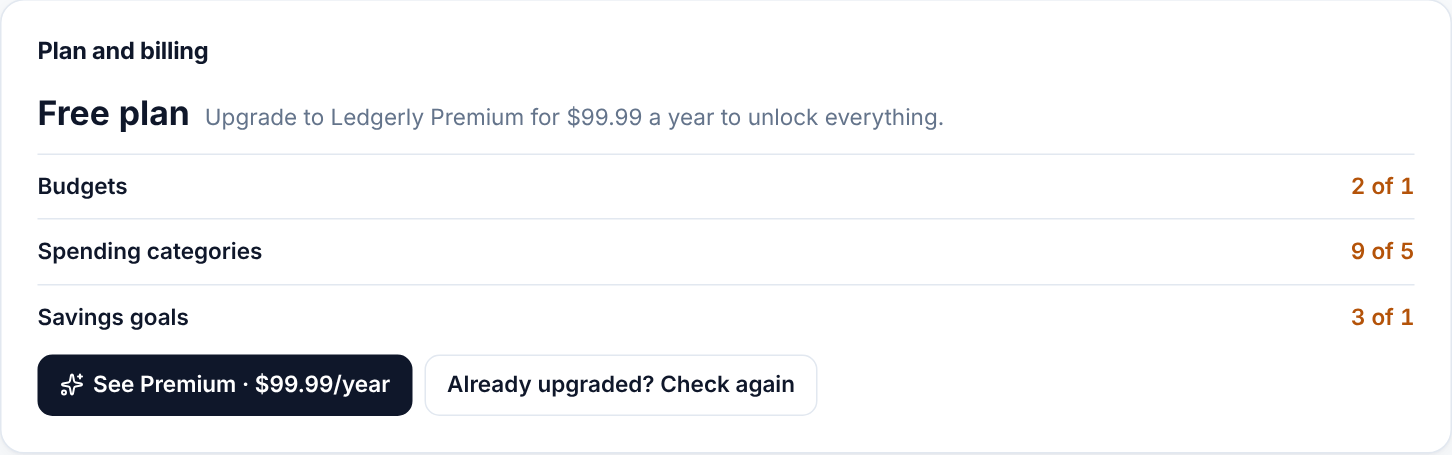
Upgrade
- Make a free account, if you haven’t. Premium goes with your account, so it works on every device you sign in on.
- Go to Settings → Plan and billing and choose See Premium. (Reaching a Premium feature opens the same window.)
- Choose Upgrade and pay on the secure checkout page. Ledgerly never sees your card number.
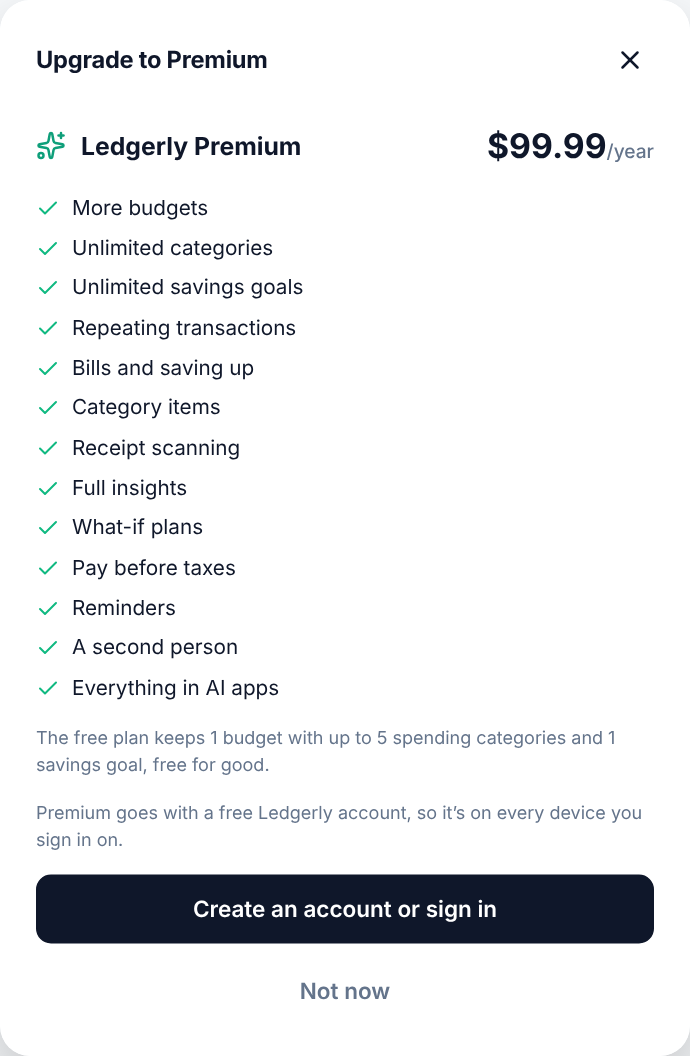
Premium is billed once a year and renews automatically until you cancel. Ledgerly emails you before it renews.
Use a promotion code or QR code
If someone gave you a Ledgerly QR code, scan it with your phone’s camera. Ledgerly opens with the code saved and shows what it gives you, like Premium free for a year. Make a free account (or sign in), then choose to upgrade: checkout opens with the code applied. When the code makes Premium free, no card is needed.
You can also type a code on the checkout page. When a free offer ends and you didn’t add a card, you simply go back to the Free plan.
Cancel or change your card
Go to Settings → Plan and billing → Manage billing. You can change your card, see receipts and cancel there. If you cancel, Premium stays on until the end of the year you paid for.
If Premium ends
Nothing you’ve entered is deleted. The Free plan’s limits apply again: budgets after the first become read-only, and you can’t add categories or goals over the limits until you renew.