
Real numbers, never guessed
Every total, forecast and payoff date is worked out by Ledgerly from your budget, the same way the app does it. The AI explains; it doesn’t add things up.
AI chat
Connect Ledgerly to Claude, ChatGPT or another AI app you already use. Ask how you’re doing, log what you spent or try a what-if, in your own words. Ledgerly answers right in the chat with its own cards, worked out from your real budget.
Free plan: check how you’re doing. Premium: log spending, forecasts, what-ifs and more. No bank login, ever.
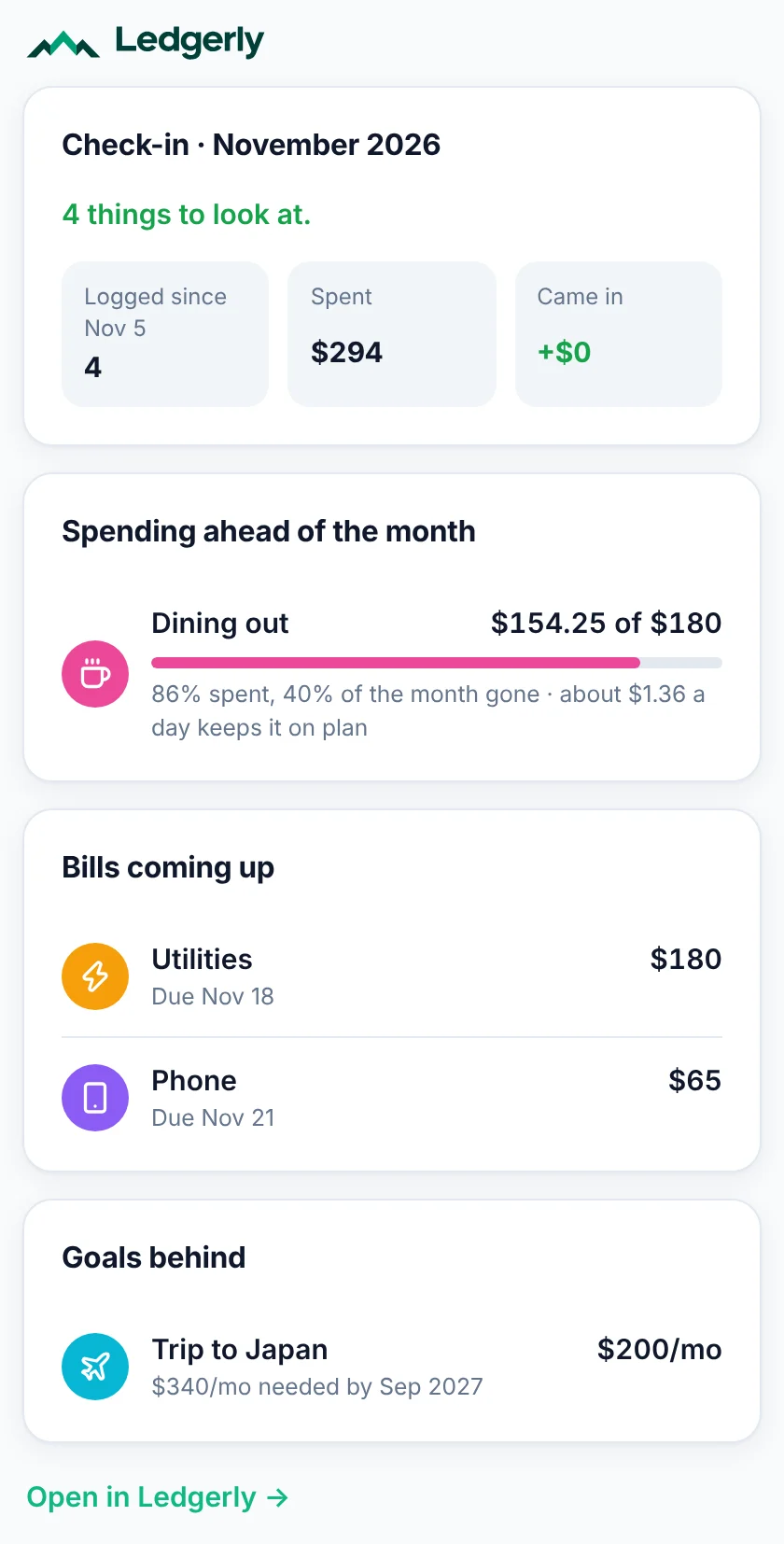
How am I doing this month?
Ask in your own words
You get a Ledgerly card in Ledgerly’s own look, with the numbers Ledgerly worked out. AI apps that don’t show cards get the same answer as text.
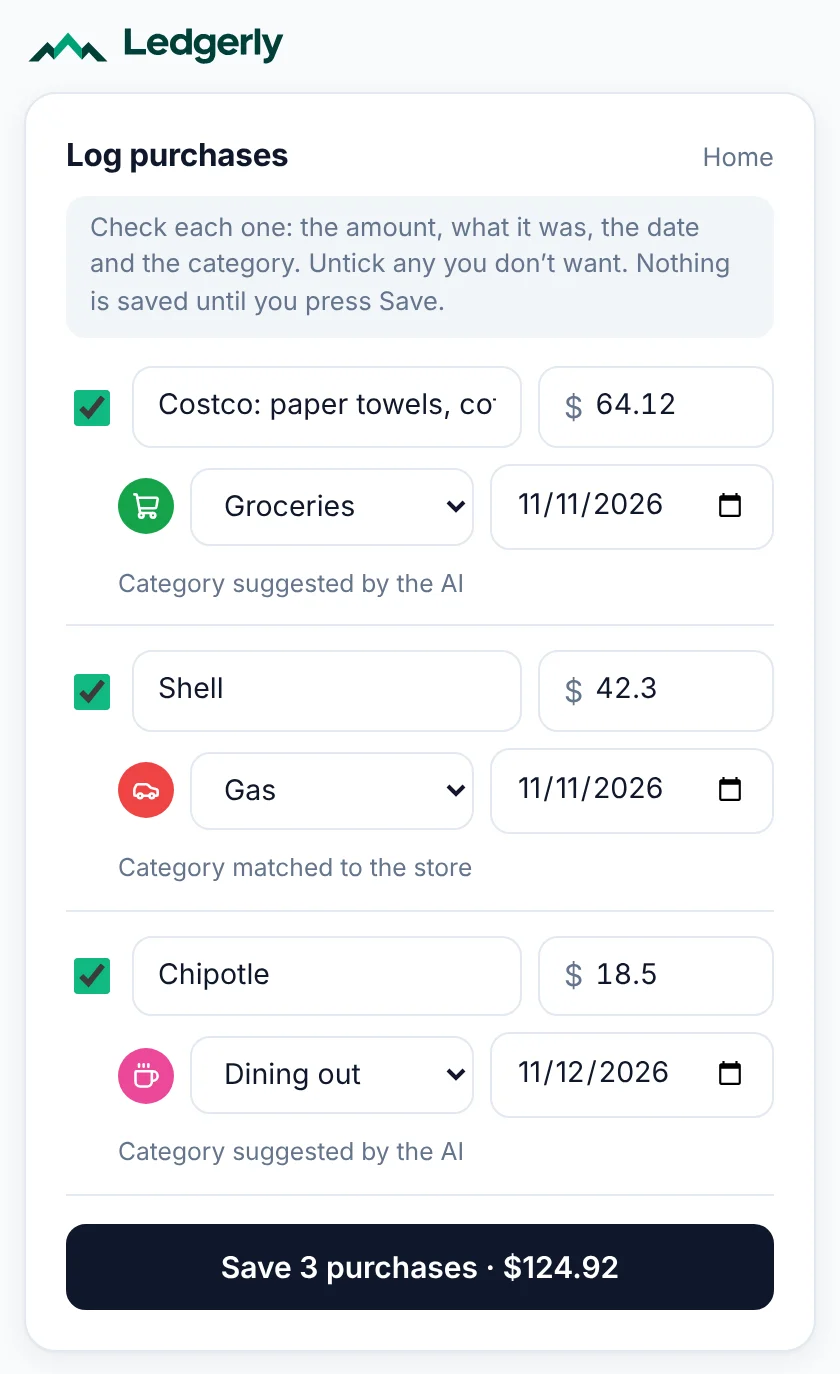
Here’s my card statement for this week. Log these.
Paste a list or a statement, or share receipt photos with the AI. Ledgerly shows every purchase as a row to check, with the category it remembers for each store and anything that looks already logged unticked. Nothing is saved until you press Save.
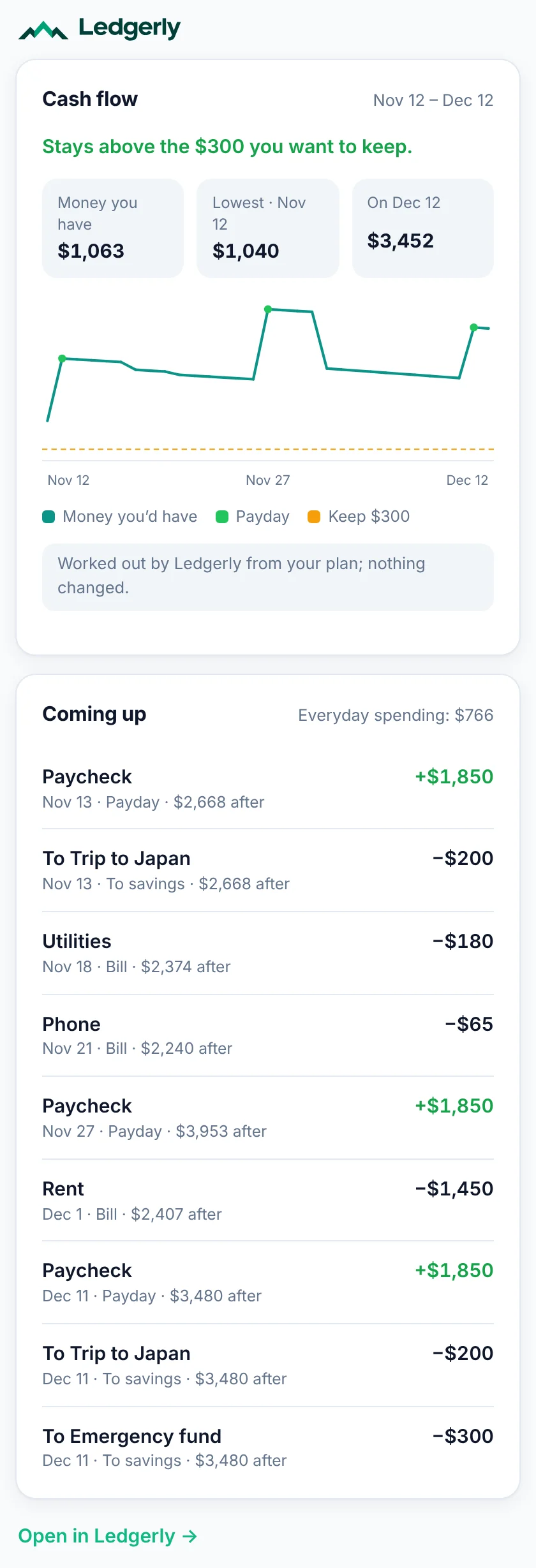
Will I have enough until my next paycheck?
Ledgerly walks forward day by day through your paydays, bills, repeating transactions and plan, and warns before your money drops below the cushion you want to keep.
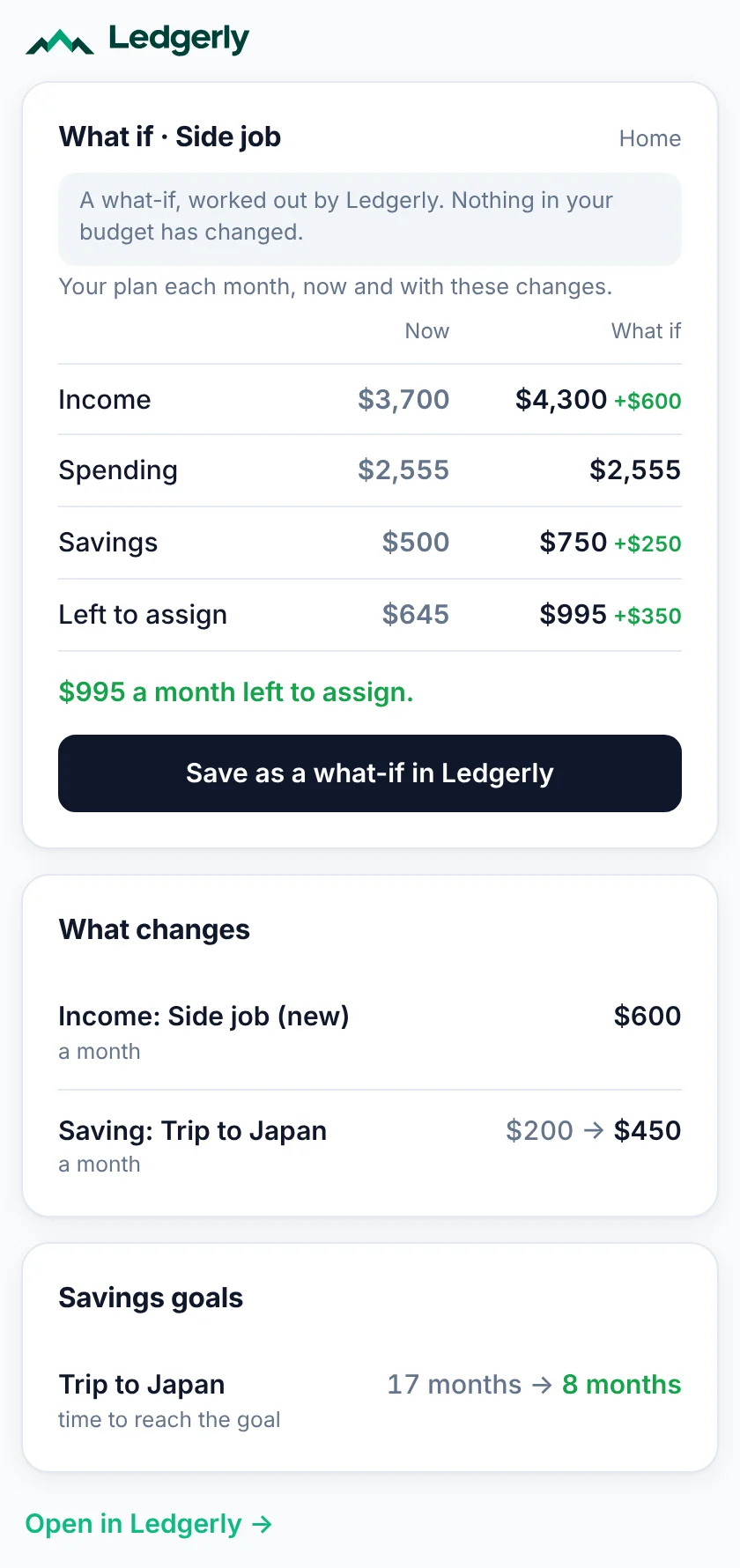
What if I picked up a $600-a-month side job and put more toward Japan?
See your plan with the change next to your plan now, and how long each goal would take. Nothing changes; press Save as a what-if to keep it in Ledgerly.
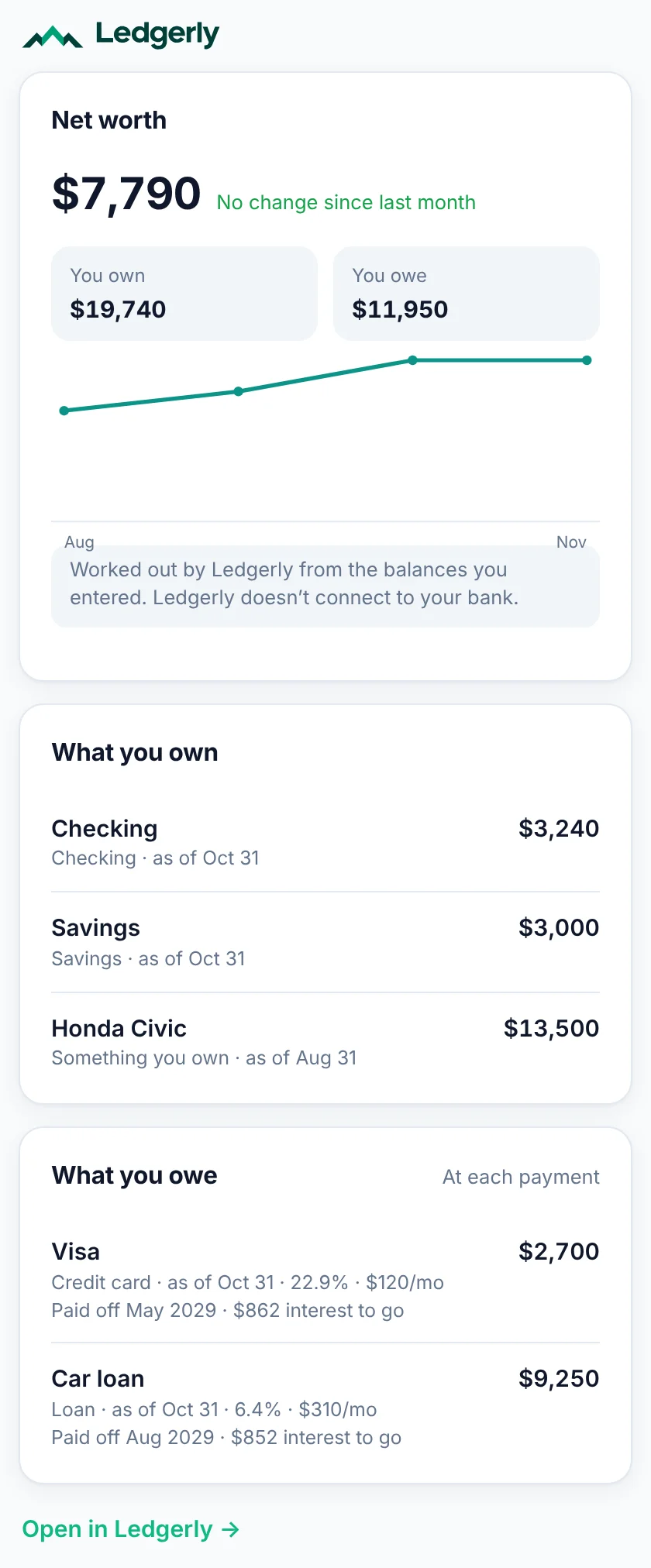
What’s my net worth, and when will my card be paid off?
What you own less what you owe, month by month, from the balances you enter, with each debt’s payoff date. Ask about paying debts off faster and compare highest rate first with smallest balance first.
Linked your bank in ChatGPT or Claude?
ChatGPT and Claude can both link bank accounts now. Ask yours: “Make sure my Ledgerly matches my bank for this month.” Ledgerly checks every line against what you’ve logged, so nothing is counted twice. It puts new purchases in a form for you to check, spots transfers and paychecks, and asks you about anything it can’t place (“Income, a transfer between my accounts, or not sure?”). Nothing is saved until you press Save or answer.
Your AI app keeps the bank connection; Ledgerly only gets what it sends (amounts, dates, payees, account names and last 4 digits, balances) and never your bank login. Works the same with a statement or a list in any AI app. This is part of Premium. How it works.
Things to ask
Copy one into your AI chat. AI apps that show a connector’s ready-made prompts list these too, so you can start one with a tap.
Using Claude? Add the same check-ins as a Skill: download ledgerly-money-checkins.zip, then in Claude open Customize → Skills and upload it (code execution needs to be on). It works with the Ledgerly connector.
Why it works
Every total, forecast and payoff date is worked out by Ledgerly from your budget, the same way the app does it. The AI explains; it doesn’t add things up.
You review every purchase in a form before it’s saved, and moving money works the same way. For other changes, Ledgerly tells the AI to ask you first, and your AI app may ask for your OK too. Any AI change can be undone in Settings.
Every change an AI app makes is listed in Settings, with which app and when. Press Undo to put it back, as long as nothing has changed it since.
Chats forget; Ledgerly doesn’t. Any app you connect reads your budget fresh, plus the notes you write for AI apps, like “Paid every other Friday”.
Rather not hand bank access to an app or an AI company? You don’t have to: Ledgerly never asks for your bank login, and you stay in control of what goes in (or, with Premium, link your bank through Plaid: read-only, and you check what it sends). AI apps never see your Ledgerly account details, password or payment details, and you can disconnect them any time.
A Ledgerly card has the Ledgerly logo at the top and Open in Ledgerly at the bottom. Charts the AI draws itself aren’t from Ledgerly and change nothing.
Connect in a minute
https://app.myledgerlyapp.com/mcpClaude’s Free plan allows one custom connector. On Team and Enterprise, an owner adds it for everyone. Once added, it works in Claude’s phone apps too.
https://app.myledgerlyapp.com/mcp and choose OAuth to sign in.Adding your own server depends on your ChatGPT plan and workspace settings, and ChatGPT may name these menus differently over time: see OpenAI’s help article. ChatGPT asks you to confirm before Ledgerly changes anything.
Either one. Ledgerly is the same in both: the same budget, the same cards and the same numbers. Use the AI app you already use, or connect both.
Check the address ends in /mcp, sign in with the same Ledgerly account you use in the app, and start a new chat after connecting. If you turned on two-step sign-in, have your code ready. Still stuck? Email [email protected].
These connect with a key instead. In Ledgerly, go to Settings → Connect an AI app → Make a connection key and follow the steps. Connection keys are part of Premium.
On the Free plan, AI apps can show your budget, spending, cash flow and net worth, log purchases through the forms, and check your bank against Ledgerly. Changing the plan itself (income, categories, goals, accounts, repeating transactions), what-ifs, households and connection keys are part of Premium. What the AI app reads is also seen by the company behind it, under its own privacy policy. Step-by-step guide: Use Ledgerly in your AI app.
Mostly. On the Free plan, your AI app can show your budget, spending, cash flow and net worth, log purchases through the forms, and check your bank against Ledgerly, within the Free plan’s limits (1 budget, 5 categories, 1 goal). Changing the plan itself, what-ifs, households and connection keys are part of Premium, $99.99 a year. Premium is free while payments are being tested; when real payments start it will be $99.99 a year, and nothing is charged unless you choose to pay.
Logging purchases and moving money go through a form you save yourself. Other changes, like adding a category or changing income, don’t open a form: Ledgerly tells the AI to ask you first, and ChatGPT asks you to confirm each change. Every change is listed in Ledgerly with an Undo. An AI app can’t delete a category, goal or income that has transactions logged against it, and it can delete at most 30 things a day.
Your budgets: income, categories, goals, transactions, accounts and the notes you write for AI apps. Never your account details, password, payment details or connection keys. The company behind the AI app sees what it reads, under its own privacy policy, so only connect apps you trust.
Names and notes in your budget, like store names from a receipt or a note a second person wrote, are handed to the AI as your data, never as instructions, with hidden characters removed.
Ledgerly works the same in both: change something in your AI chat and it’s in the app, and the other way round. Use the app to set up your plan and settings, and your AI chat when it’s quicker to ask.
Check-in: a quick look at what needs attention this month. Cash flow: the money you’d have each day ahead, from your paydays, bills and plan. What-if: a copy of your plan to try a change, like a raise, without touching the real one. More in the help center.
No. Ledgerly’s numbers are worked out from what you enter, and the AI app explains them, but neither is financial, tax or legal advice (see the Terms). Check important numbers yourself, and talk to a professional before big decisions.
In Ledgerly, Settings → Connect an AI app: Disconnect next to an app, or Revoke next to a key. It loses access right away.