
Help center Plan your money
Budgets and shared categories
Keep separate budgets for different households or a business, switch between them, and pay yourself from one to another.
A budget is one household’s money: its own income, categories, savings goals and transactions. Most people need just one. Add more for a second household (a parent’s house, a cabin) or a business you run.
Add a budget
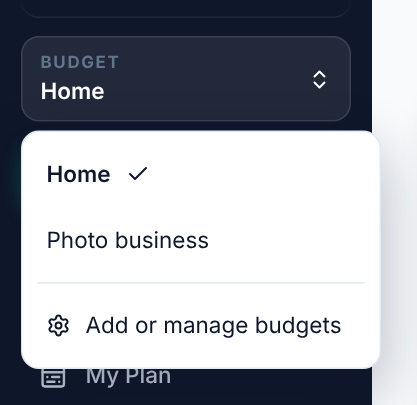
- Open the Budget switcher at the top of the menu and choose Add or manage budgets, or go to Settings → Your budgets.
- Choose Add a budget and give it a name.
- Answer how that household gets paid, just like when you started.
Switch, rename and delete
- Switch with the Budget switcher at the top of the menu. Everything you see is for the budget that’s open.
- Rename or delete a budget in Settings → Your budgets. Deleting a budget deletes its income, categories, goals and transactions, and can’t be undone.
Pay yourself from a business budget
If you own a business, you probably pay yourself from it. That money is spending in the business budget and income in your personal budget. A shared category does both at once:
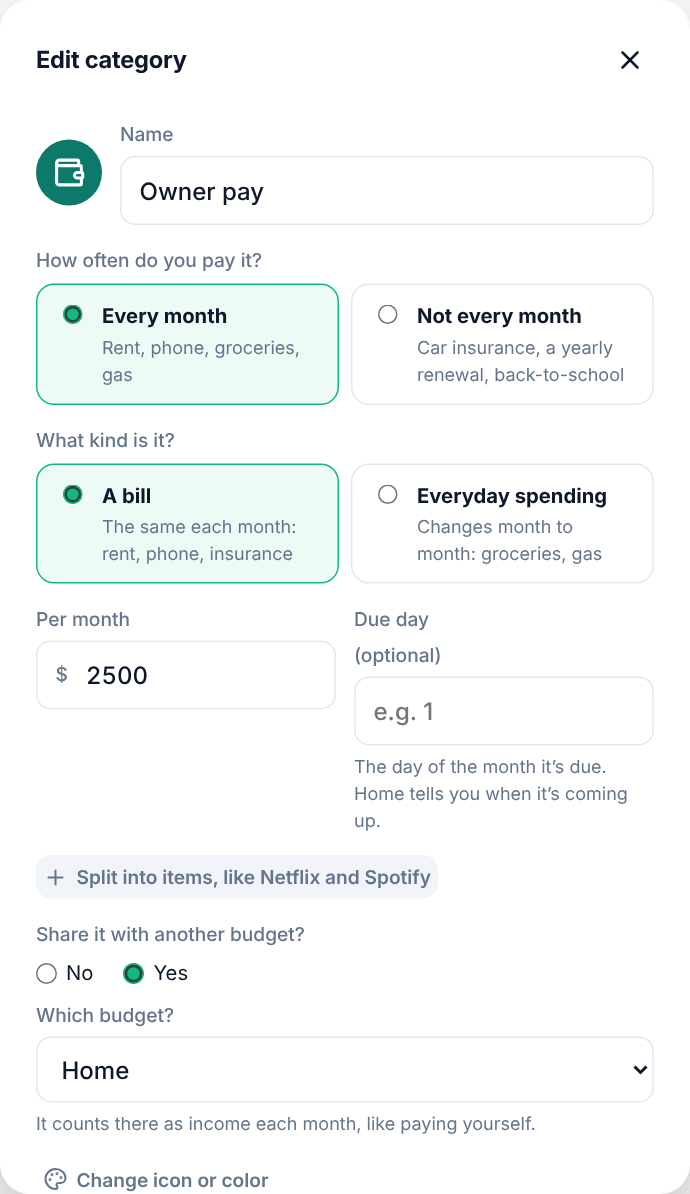
- Open the business budget and add or edit a category, like Owner pay.
- Under Share it with another budget?, choose Yes.
- Under Which budget?, pick your personal budget.
- Save.
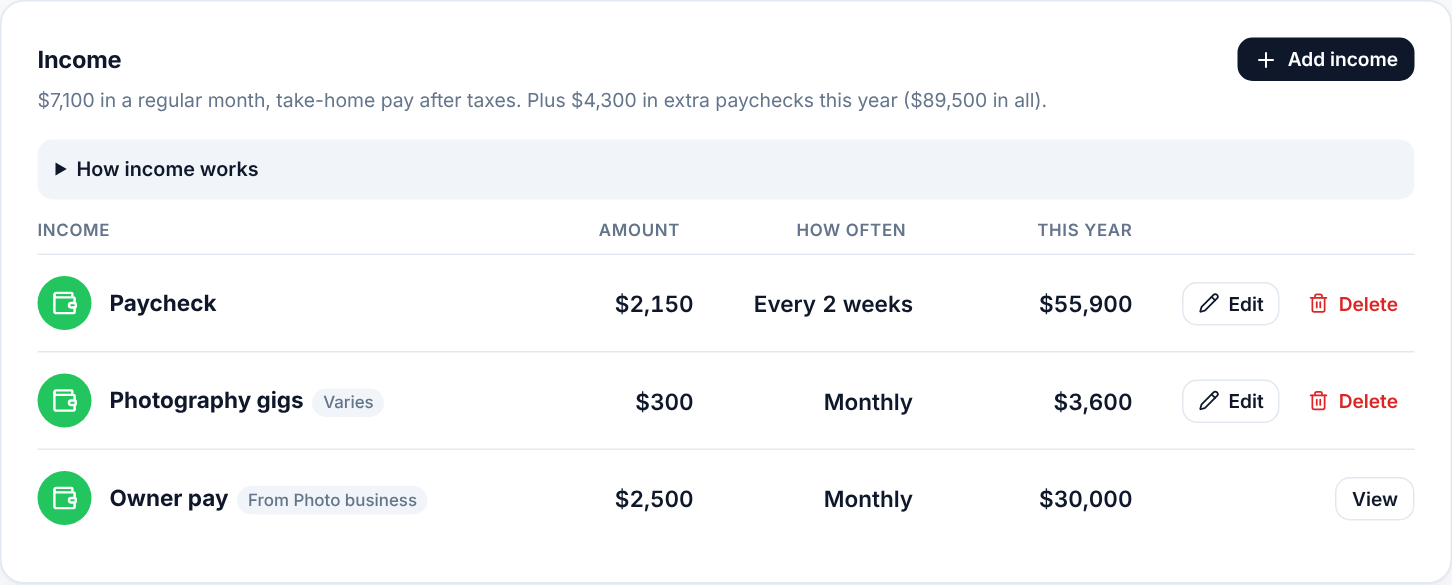
The category now shows up in your personal budget as monthly income for the same amount, marked From and the business budget’s name. Change the amount in the business budget and the income updates by itself.
Each time you log spending to the shared category in the business budget, it’s logged in your personal budget too, as money in from Owner pay, marked with where it came from. Log it once: change the amount, date or note on either side and the other changes too, and deleting either one deletes both. Spending logged before you shared the category isn’t copied.
A category can be shared with one other budget. To stop sharing, edit the category and choose No: the income is removed from the other budget.