
Help center Plan your money
Add your income
Add paychecks, side work and one-time money, set paydays, and handle extra paychecks and 401(k) deductions.
Your plan starts from what you bring home. Add every regular source of money: your job, a partner’s job, side work, benefits.
Add an income source
- Open My Plan.
- Choose Add income.
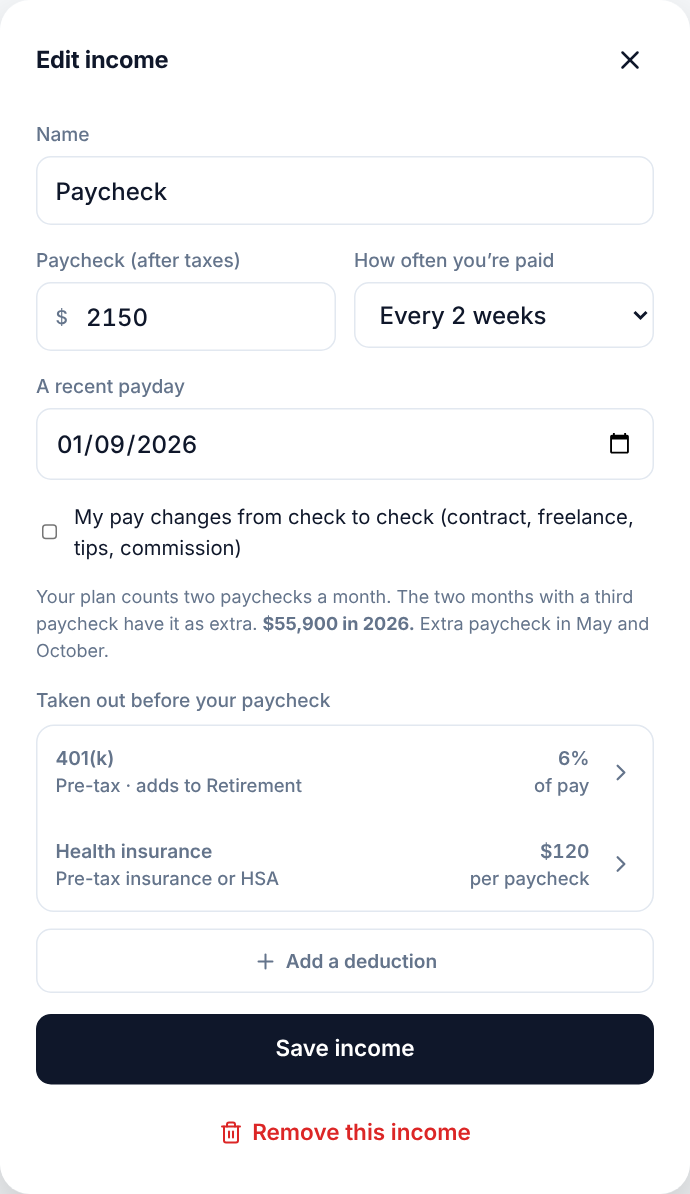
- Enter a name, the amount of a typical paycheck after taxes, and how often you’re paid.
- For weekly and every-2-weeks pay, enter a recent payday. Ledgerly uses it to find the months with an extra paycheck.
- Choose Save income.
How often you’re paid
| Choice | What your plan counts each month |
|---|---|
| Weekly | Four paychecks. Months with a fifth have it as extra. |
| Every 2 weeks | Two paychecks. The two months with a third have it as extra. |
| Twice a month | Two paychecks. |
| Monthly | One paycheck. |
| Yearly (salary) | The salary split into 12 monthly amounts. |
| One time | Nothing in your regular month: it’s extra in the month it arrives, like a bonus or tax refund. |
Ledgerly plans with a regular month on purpose, so your plan doesn’t depend on a month that happens to have an extra paycheck. When an extra paycheck comes, it’s extra money you can save or put toward a savings goal.
Pay that changes
If your pay changes from check to check (contract work, freelance, tips, commission), tick My pay changes from check to check and enter a typical amount. The income is marked Varies in your plan. Plan with a careful, lower amount if you can.
Money taken out before your paycheck
Under Taken out before your paycheck, add anything that comes out of your pay before it reaches you, like a 401(k) or health insurance. Each one can be a dollar amount per paycheck or a percent of pay:
- Pre-tax retirement, like a traditional 401(k), 403(b) or 457.
- Roth 401(k), taken out after taxes.
- Health, dental or vision insurance, HSA, FSA or commuter benefits.
- Something else taken out after taxes, like union dues, life insurance or a stock purchase plan.
A retirement deduction can add to a Retirement savings goal, so you can see it grow without logging anything. Your take-home amount stays the amount you entered.
After tax or before tax: one choice
Ledgerly works in one of two ways, chosen in Settings → I enter my pay, and every amount, percentage and label follows it:
- After tax (the default). Enter your take-home pay, what reaches your bank. Everything is measured against take-home pay.
- Before tax (Premium). Enter each paycheck from its pay stub: your pay before taxes, then each tax (federal income tax, state income tax, local or city tax, Social Security and Medicare) and your deductions. Ledgerly works out your take-home pay, so you don’t enter it. No stub handy? Estimate for me fills in federal tax, Social Security and Medicare; add your state and local taxes yourself. Everything is then measured against pay before tax, and your charts show each tax and deduction as its own slice.
Ledgerly never guesses taxes on pay entered as take-home. If you choose Before tax and an income was entered as take-home, My Plan marks it “Entered after tax: add its pay stub” and counts it as entered (a mileage or expense check that isn’t taxed can stay that way).
Your income in My Plan
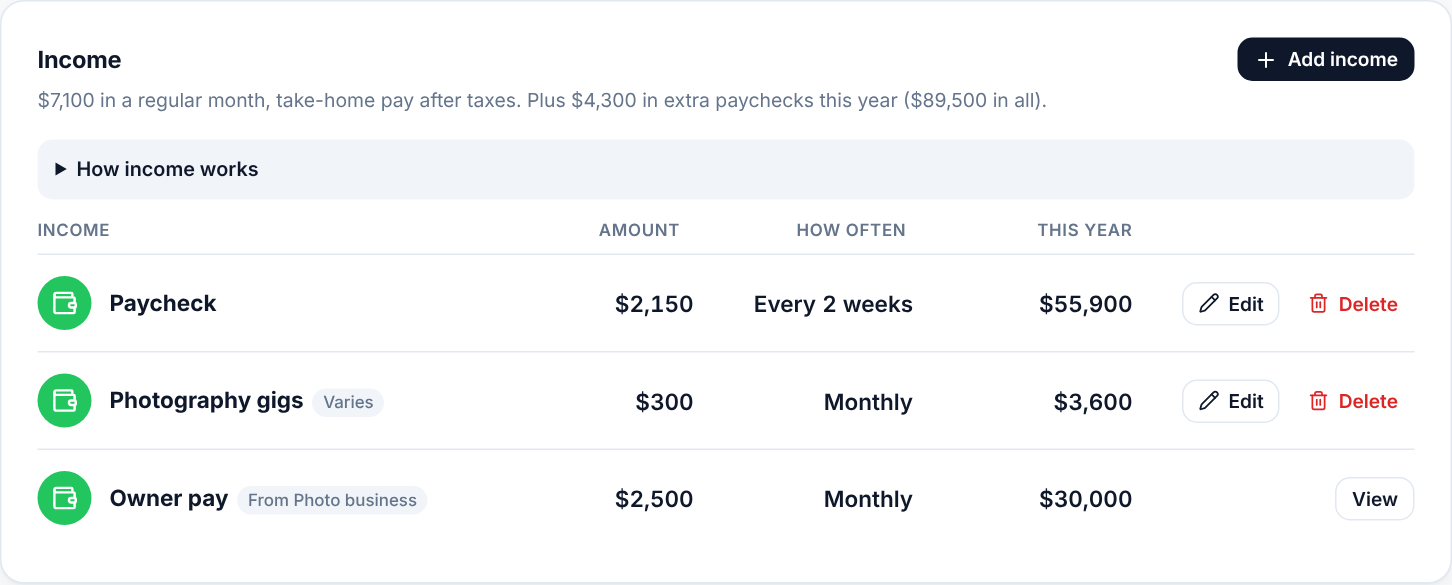
My Plan lists each income source with how often it comes and its total for the year. Edit changes it and Delete removes it.
Log your pay when it arrives
Your plan uses expected income. When you’re actually paid, log it with Add transaction (the green + on a phone) → Income. It adds to the money you have on Home. See Log spending, income and savings.
On Home, Came in shows what’s been logged this month and what your plan expected. If the paychecks you log keep landing on other days than your plan’s paydays, or are usually a different amount, Home says so and offers to fix the plan: Use Oct 16 as the payday, or Use $1,650. Nothing changes until you choose one. Pay within a couple of days of the payday (a weekend, a bank holiday) counts as on time, and pay you’ve marked as varying isn’t checked for amount.