
Help center Plan your money
My Plan and left to assign
See your whole plan in one place, give every dollar a job and see the year month by month.
My Plan is where you set up your money: your income, and how much goes to each category and savings goal. How this month is actually going is on Home.
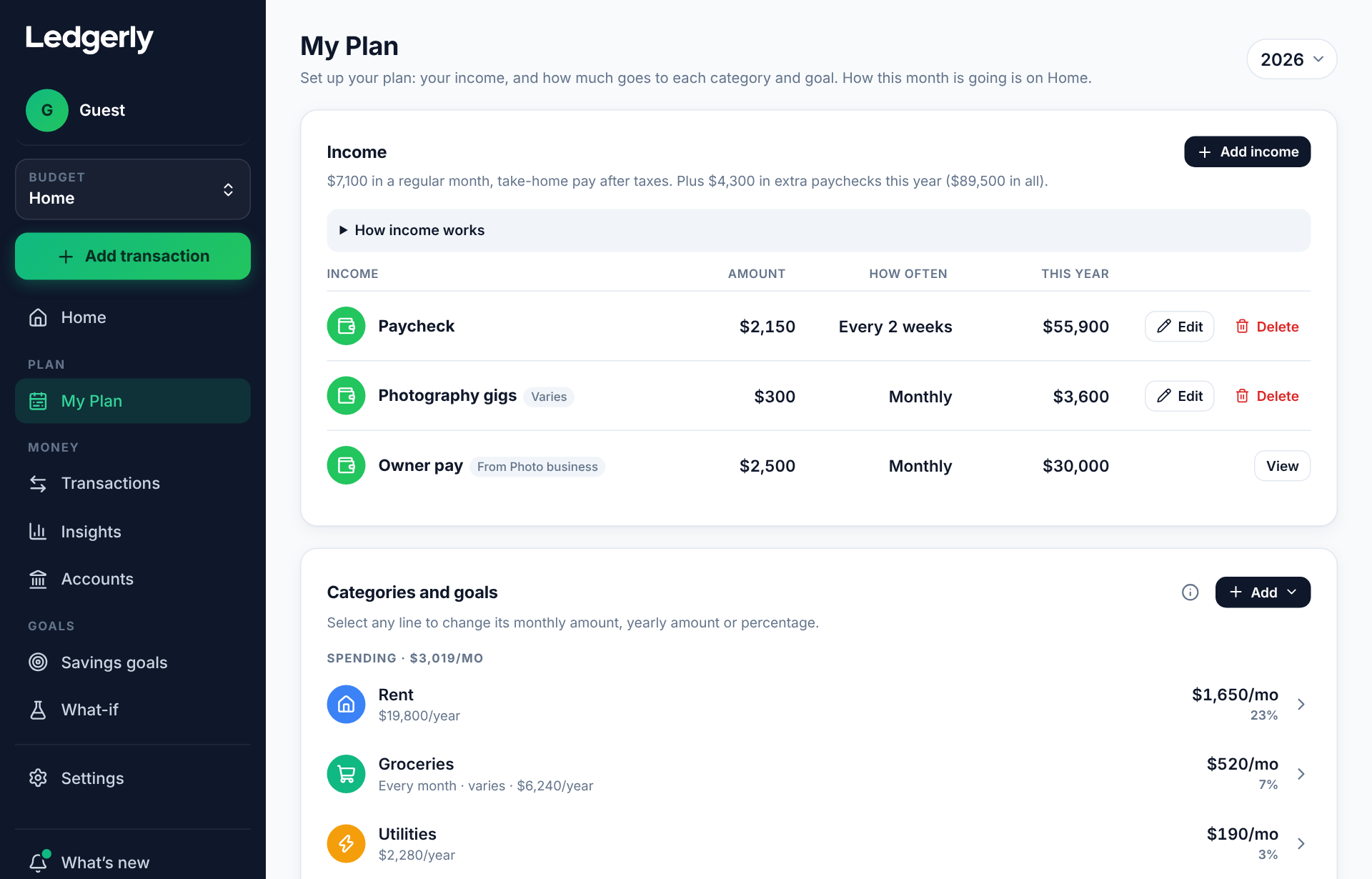
Categories and goals
Your spending categories and savings goals are listed with their monthly amount, their amount for the year and their percent of your income. Select any line to change it. Add adds a category or a goal.
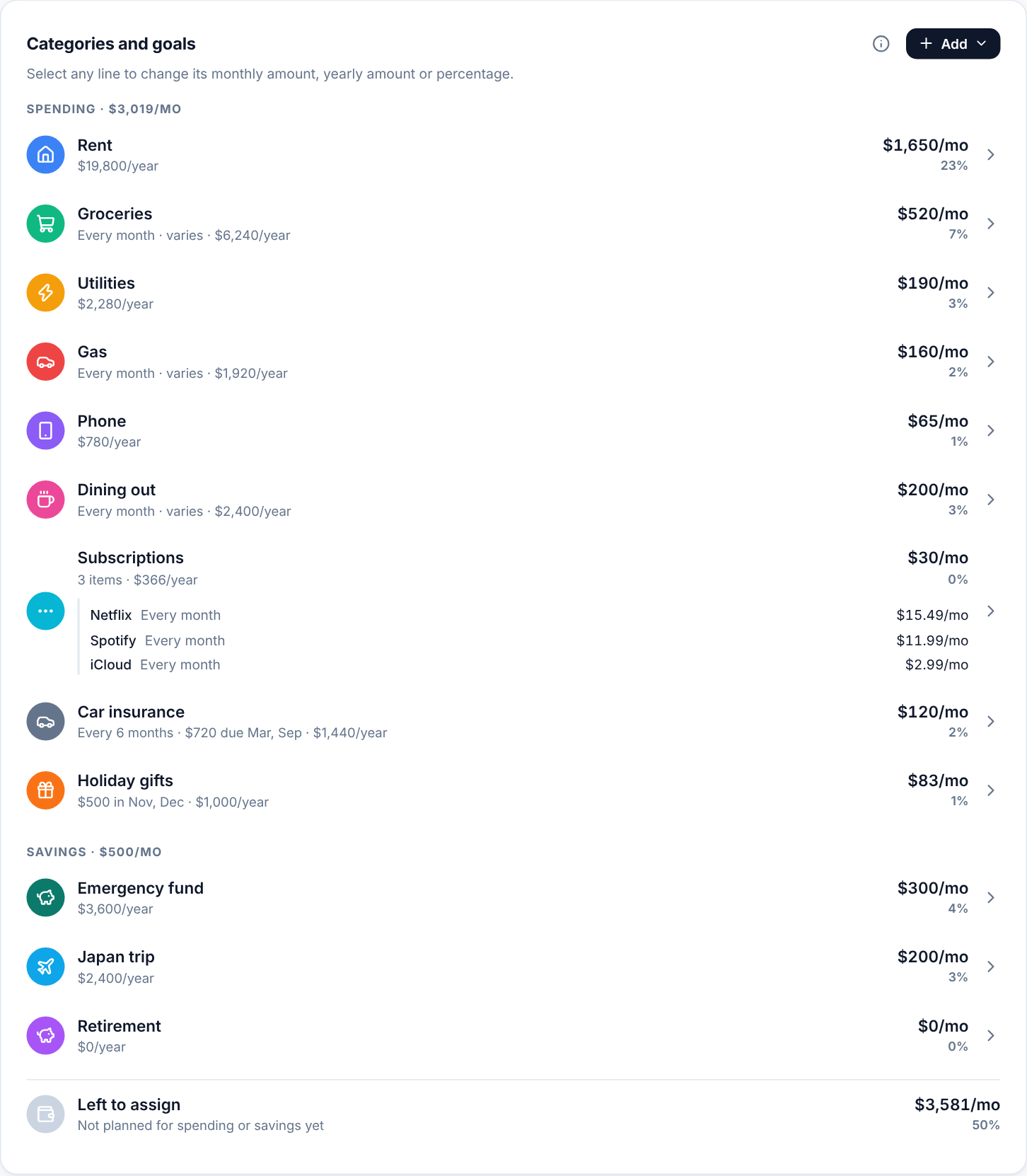
Left to assign
Left to assign is the income that isn’t planned for spending or savings yet. A good plan gives every dollar a job, so aim to bring it close to $0:
- If it’s more than $0, put the rest toward a savings goal or a category.
- If it says Over-planned, you’ve planned more than you bring home. Lower a category or two until it’s back to $0 or above.
How your income is split shows the same thing at a glance: spending, savings and what’s left.
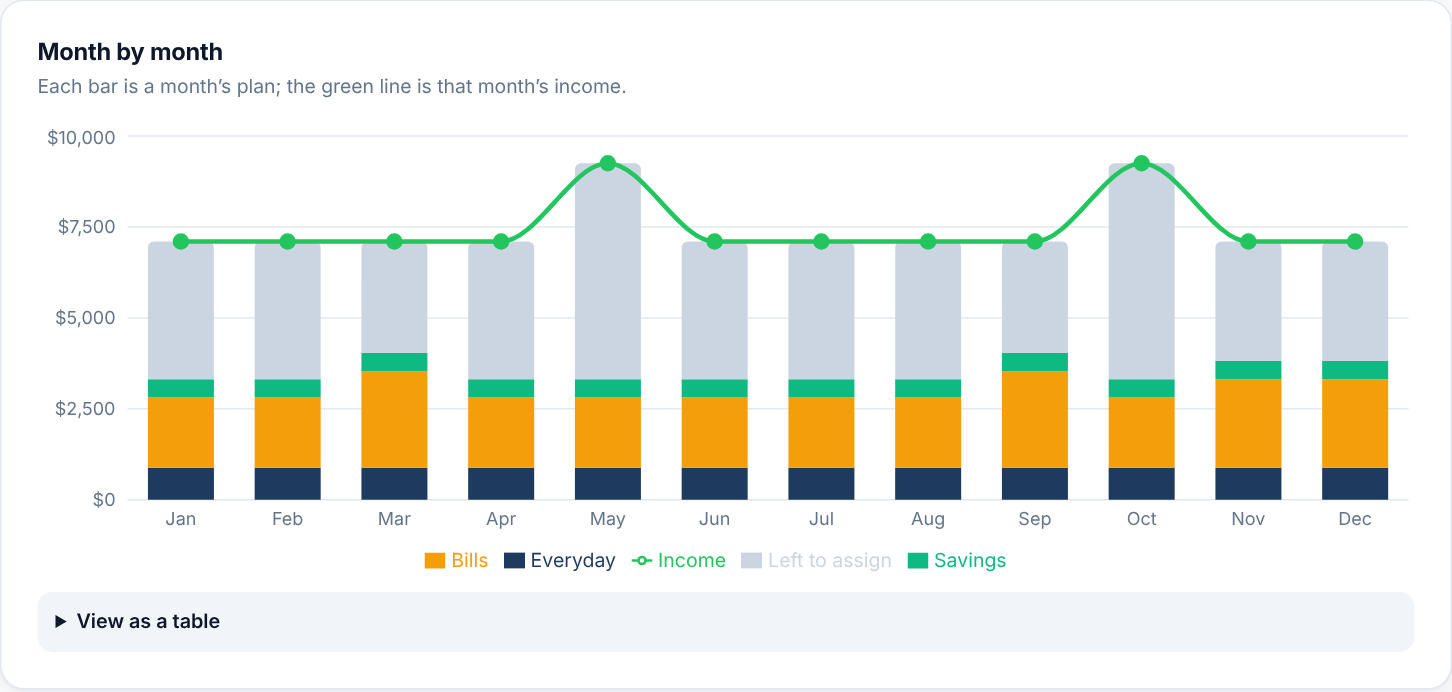
Month by month
The chart shows each month’s plan, with the green line for that month’s income: everyday spending (groceries, gas), bills (rent, phone and other fixed bills, plus bills due that month) and savings. Months with an extra paycheck have more income; months with a bill like car insurance have more spending. Choose View as a table for the numbers.
Change the year
Choose the year at the top of My Plan (next to the title) to see your plan laid out for another year. Your income, categories and goals stay the same; the year changes which months have extra paychecks and when bills fall due.
Thinking about a change?
To try a raise, a move or a new car payment without touching your real plan, use a what-if.